


CloudSpot is a popular platform for photographers delivering galleries, downloads, print sales, and client experiences.
For portrait, family, and wedding photographers, workflows are often straightforward.
High-volume photography is different.
CloudSpot is a popular platform for photographers delivering galleries, downloads, print sales, and client experiences.
For portrait, family, and wedding photographers, workflows are often straightforward.
High-volume photography is different.
School, sports, dance, graduation, and event photographers often photograph hundreds or thousands of people in a short period of time.
The challenge is rarely publishing galleries.
The challenge is organizing thousands of images before customers ever see them.
Photographers commonly need to organize photos by:
• Student
• Team
• Teacher
• Grade
• Coach
• Event
• Subject
• Gallery structure
The larger the job becomes, the more important workflow becomes.
Improving organization before upload can significantly reduce manual work while continuing to use CloudSpot for gallery delivery.

Yes. CloudSpot works well for school, sports, dance, graduation, and high-volume photography workflows.
CloudSpot works particularly well for:
• Online galleries
• Client delivery
• Downloads
• Print sales
• Branding and presentation
• Customer experience
For studios using CloudSpot, the goal is often not replacing the platform.
The biggest opportunity for improvement usually happens before upload.
By improving organization and gallery preparation before images are uploaded, studios can reduce manual work while continuing to use CloudSpot for gallery delivery.

High-volume photographers often manage thousands of images across schools, sports leagues, dance studios, graduations, and large events.
Without a workflow system, photographers may spend hours:
• Sorting files manually
• Renaming folders
• Matching subjects to photos
• Creating gallery structures
• Fixing mistakes after upload
The greatest workflow improvements often come from reducing manual work before galleries are uploaded.
Snapizzi helps photographers automate organization using workflows such as QR cards, Smart Keyframes, roster matching, sequencing tools, and automated gallery preparation.
Instead of manually organizing thousands of photos, photographers can prepare clean gallery structures before publishing to CloudSpot.
Here are step-by-step setup instructions for using Snapizzi with CloudSpot.
Whether you're using CloudSpot or another gallery platform, understanding the complete picture day process can help you build a more efficient workflow.
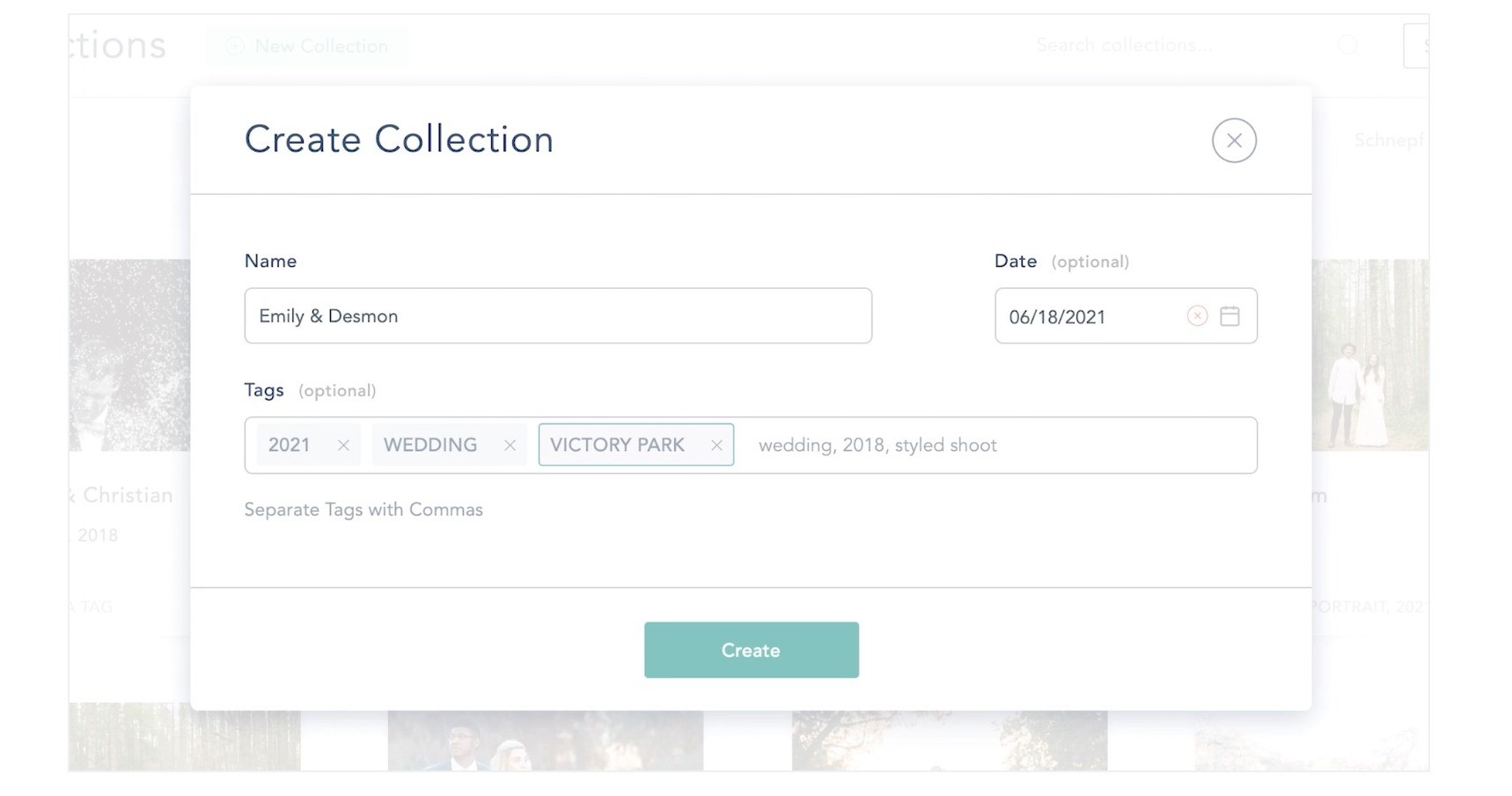
CloudSpot supports uploading folders into Collections while preserving folder structure automatically.
Snapizzi helps prepare organized subject folders before upload, making it easier to maintain consistent gallery structures inside CloudSpot.
For example:
• Schools may organize folders by teacher or grade
• Sports photographers may organize folders by team or division
• Dance studios may organize folders by class or performance group
Instead of manually rebuilding gallery structures after upload, photographers can export a Snapizzi Bundle with organized folders and upload them directly into a CloudSpot Collection.
CloudSpot preserves the folder structure automatically, helping keep galleries organized while reducing manual work.
Rather than manually building galleries, photographers can organize projects in Snapizzi and preserve folder structure in CloudSpot.
For studios using CloudSpot, the goal is often not replacing the platform.
CloudSpot already provides a polished customer experience, galleries, downloads, and sales tools.
The biggest opportunity for improvement usually happens before upload.
Profitability is not only about selling more photos—it is also about reducing labor, saving time, and delivering galleries faster.
By improving organization and gallery preparation before upload, studios can reduce manual work while continuing to use CloudSpot for gallery delivery.
For high-volume photographers, organization directly affects delivery speed and customer experience.
Better workflows can help with:
• Faster gallery preparation
• Reduced manual sorting
• Cleaner organization
• Fewer mistakes
• Faster turnaround times
• Better customer experience
CloudSpot handles galleries and delivery.
Snapizzi helps photographers organize high-volume jobs before they get there.
Many photographers keep CloudSpot and improve workflow around it instead of replacing the platform they already trust.
Can CloudSpot be used for school photography?
Yes. CloudSpot can be used for school photography galleries, downloads, online ordering, and customer delivery.
Is CloudSpot good for sports photography?
Yes. CloudSpot works well for sports photography galleries, downloads, and customer delivery. Workflow automation can help streamline organization and reduce manual work before galleries are uploaded.
Do I need to replace CloudSpot to improve workflow?
Usually not. Workflow improvements can often be achieved without changing gallery platforms. Automating organization, matching, and gallery preparation before upload can reduce manual sorting and speed up delivery while continuing to use CloudSpot for gallery delivery.
How do photographers organize CloudSpot galleries faster?
Organized subject folders can be prepared before upload using workflow automation tools such as QR cards, Smart Keyframes, roster matching, and automated gallery preparation. By organizing images before they reach CloudSpot, gallery creation becomes faster, more consistent, and easier to manage.
Can Snapizzi work with CloudSpot?
Yes. Snapizzi helps organize school, sports, dance, graduation, and event photography before galleries are uploaded into CloudSpot.
See our Snapizzi + CloudSpot Workflow Guide for detailed setup recommendations and best practices.
CloudSpot is already a strong platform for galleries, downloads, and customer delivery.
For high-volume photographers, the biggest opportunity is improving workflow before upload.
Rather than replacing the systems photographers already trust, many studios simply improve organization, reduce manual work, and continue using CloudSpot for what it already does well.
Looking for step-by-step instructions? → CloudSpot high-volume photography workflow setup guide
Want to see how photographers organize high-volume school, sports, dance, and event photography faster while continuing to use CloudSpot?
Watch the Snapizzi workflow demo to see how galleries can be organized faster without changing platforms.
*CloudSpot is a trademark of its respective owner. This workflow is independently developed by Snapizzi and is not an official CloudSpot integration, partnership, or endorsement.
Related Articles
Explore more features, announcements, and workflow improvements.
Related Help Articles
Step-by-step guides and documentation from the Snapizzi Knowledge Base.
Explore These Topics
Find more articles on the topics covered in this post.
Continue Exploring Snapizzi
Content Directory — Browse all articles and workflow resources
Release History — Explore new features and product updates
Knowledge Base — Find tutorials and documentation
User Love — See what photographers say about Snapizzi