


As projects become more complex, the Ports page can contain numerous sections for gallery platforms, exports, proof sheets, and other workflow destinations.
To make navigation easier, Snapizzi introduced the Active Table of Contents.
When a project contains multiple ports, a numbered navigation menu automatically appears along the left side of the Ports page. Each number corresponds to one of the configured ports, allowing you to jump directly to that section with a single click instead of scrolling through the entire page.
Whether your project includes multiple gallery platforms, Bundles, Paper Proof Sheets, or other export destinations, the Active Table of Contents keeps everything within easy reach.
The navigation updates automatically as ports are added or removed, appearing only when it provides a meaningful benefit. Smaller projects with just one or two ports remain clean and uncluttered, while larger workflows gain fast access to every configured destination.
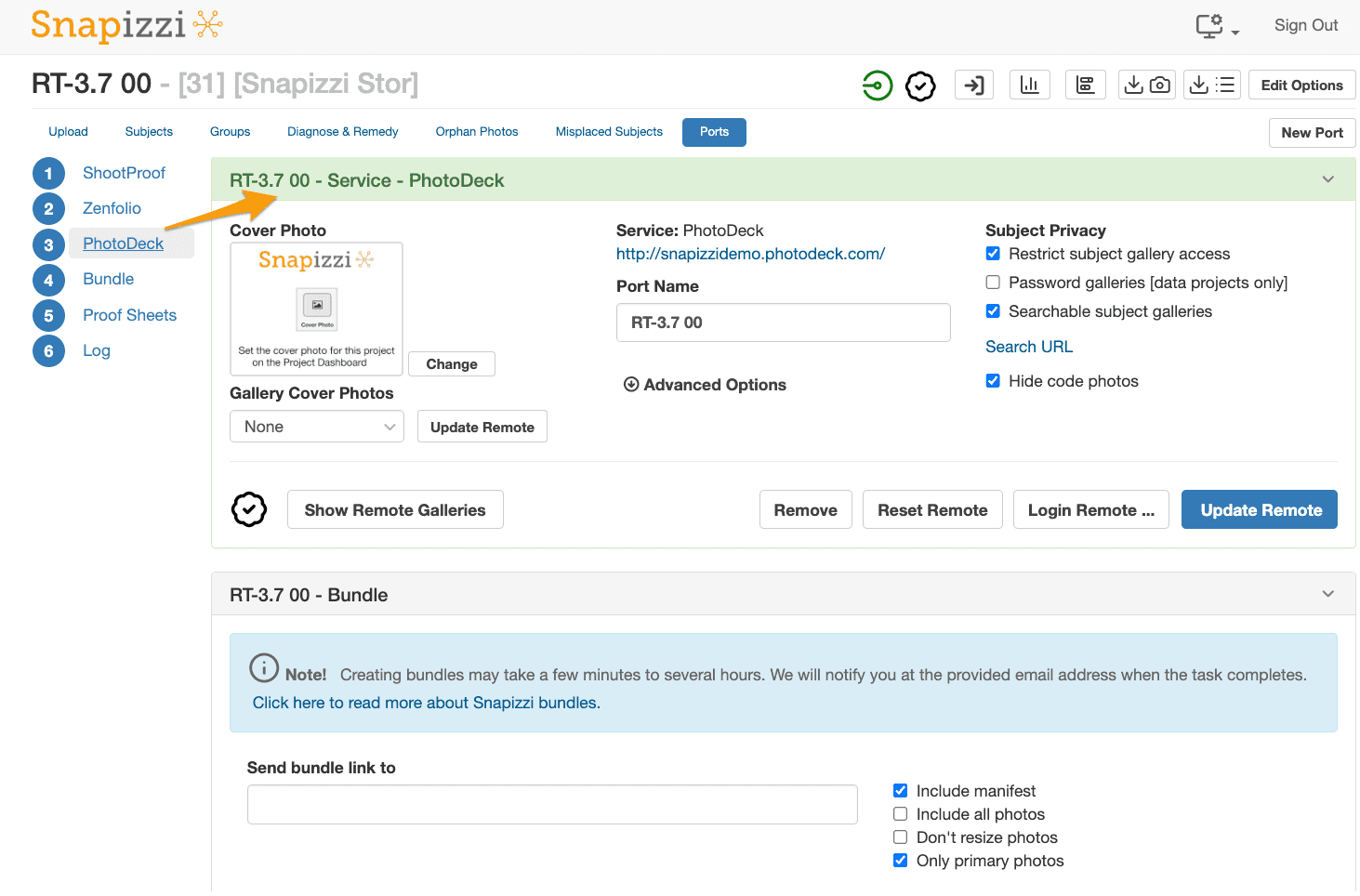
While simple in design, the Active Table of Contents makes navigating large publishing workflows considerably more efficient. As additional ports are added to a project, photographers can move between gallery integrations, exports, and proofing destinations with a single click instead of scrolling through the entire page.
Note: This article announced the introduction of the Active Table of Contents for the Ports page. As Snapizzi has added support for additional gallery platforms, Bundles, Paper Proofing, and other publishing destinations, this navigation aid has become an important part of managing projects with multiple ports. The numbered navigation appears automatically when needed, making it easy to jump directly to any configured port.
Related Articles
Explore more features, announcements, and workflow improvements.
Related Help Articles
Step-by-step guides and documentation from the Snapizzi Knowledge Base.
Explore These Topics
Find more articles on the topics covered in this post.
Continue Exploring Snapizzi
Content Directory — Browse all articles and workflow resources
Release History — Explore new features and product updates
Knowledge Base — Find tutorials and documentation
User Love — See what photographers say about Snapizzi