3 Blog Posts Every High-Volume Photographer Should Read

High-volume photography business represented by connected systems for workflow efficiency, business growth, and technology.

3 Blog Posts Every High-Volume Photographer Should Read

pull-quote-left

Better systems, smarter workflows, and the right tools can have just as much impact on a photography business as what happens behind the camera.

randy-dela-fuente-headshot

Randy dela Fuente

Originally published

8 years ago

Updated

Yesterday
4 min read 792 words

3 Blog Posts Every High-Volume Photographer Should Read

High-volume photography business represented by connected systems for workflow efficiency, business growth, and technology.

3 Blog Posts Every High-Volume Photographer Should Read

pull-quote-left

Better systems, smarter workflows, and the right tools can have just as much impact on a photography business as what happens behind the camera.

Better systems, smarter workflows, and the right tools can have just as much impact on a photography business as what happens behind the camera.

randy-dela-fuente-headshot

Randy dela Fuente

Originally published

8 years ago
8 years ago

Updated

Yesterday
Yesterday
4 min read 792 words
randy-dela-fuente-headshot

Randy dela Fuente

Originally published

8 years ago

Updated

Yesterday
4 min read 792 words

Over the years, I've collected a lot of advice that changed the way I approached my photography business—and eventually helped shape how I built Snapizzi.

Some of it came from people who were smarter and more experienced than me. Some of it came from making mistakes, finding bottlenecks, and learning the hard way.

The lessons that stuck with me weren't usually about cameras or lighting.

They were about building better systems, understanding the numbers behind the business, eliminating unnecessary work, and making small improvements that compound over time.

That's especially important in high-volume photography.

When you're photographing hundreds or thousands of people, small inefficiencies don't stay small. A few extra seconds per subject, an unnecessary step in post-production, or a process that requires manual intervention can turn into hours of additional work.

These three articles explore different parts of that problem.


Saving a minute here or eliminating a repetitive task there may not seem significant on a single job. Multiply that improvement across hundreds of subjects, dozens of events, and an entire season, and the impact can be enormous.  The article also discusses something photographers don't always spend enough time thinking about: measurement.  Average sale. Profit margin. Staffing costs. Turnaround time. Workflow time. Customer acquisition. Support issues.  You don't need an elaborate analytics system to start measuring these things. You just need to know which numbers matter to your business and begin paying attention to them.  Read: Build Your Engine of Growth: Why Better Systems Create Better Photography Businesses

Build Your Engine of Growth: Why Better Systems Create Better Photography Businesses

Build Your Engine of Growth: Why Better Systems Create Better Photography Businesses

Great photography matters.

But great photography alone doesn't create a scalable photography business.

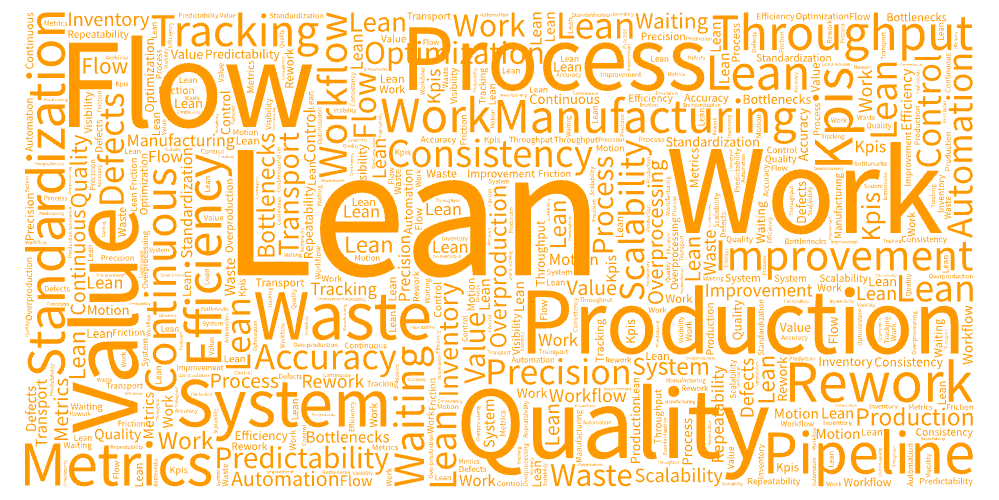
Build Your Engine of Growth looks at the business from a systems perspective: workflow, measurement, continuous improvement, and the small operational changes that make a company stronger over time.

One of the most important lessons I learned while running my own high-volume photography business was that improvements compound.

Saving a minute here or eliminating a repetitive task there may not seem significant on a single job. Multiply that improvement across hundreds of subjects, dozens of events, and an entire season, and the impact can be enormous.

The article also discusses something photographers don't always spend enough time thinking about: measurement.

Average sale. Profit margin. Staffing costs. Turnaround time. Workflow time. Customer acquisition. Support issues.

You don't need an elaborate analytics system to start measuring these things. You just need to know which numbers matter to your business and begin paying attention to them.

Read: Build Your Engine of Growth: Why Better Systems Create Better Photography Businesses


Word cloud illustrating workflow efficiency concepts including file size, speed, storage, quality, automation, and throughput in high-volume photography.

Why Image Size Matters in High-Volume Photography Workflows

Why Image Size Matters in High-Volume Photography Workflows

Bigger isn't automatically better.

That's particularly true when you're processing thousands—or tens of thousands—of photographs.

Why Image Size Matters in High-Volume Photography Workflows examines something that sounds like a technical detail but can affect nearly every part of a production workflow.

Oversized image files take longer to transfer, upload, process, back up, and deliver. Multiply those differences across a large school, sports league, dance studio, or event and seemingly insignificant delays begin to compound.

The goal isn't simply to make files smaller.

It's to understand the resolution actually required for the products you're delivering and create files that are appropriately sized for that purpose.

For high-volume photographers, file size is ultimately a workflow optimization decision.

A few megabytes saved on one photograph isn't particularly meaningful.

A few megabytes saved across 20,000 photographs can be.

Read: Why Image Size Matters in High-Volume Photography Workflows


Eight online tools for photographers shown around a central photography business workflow, including Snapizzi, Calendly, Mailchimp, Notion, OnePageCRM, Slack, Trello, and Typeform.

8 Online Tools to Grow Your Photography Business

8 Online Tools to Grow Your Photography Business

Your photography workflow extends well beyond photography software.

Scheduling, communication, documentation, customer relationships, project management, marketing, data collection, and production all consume time.

8 Online Tools to Grow Your Photography Business looks at specialized tools that can help automate or simplify those different parts of the business.

The important idea isn't that every photographer should use the same eight applications.

It's that every tool in your technology stack should have a job.

The strongest systems aren't necessarily built around one application that tries to do everything. They're often built from specialized tools that each solve a particular problem exceptionally well.

If you're constantly repeating a task, manually moving information, searching for something, or fixing the same problem, there's a good chance that part of your business deserves a better system.

Read: 8 Online Tools to Grow Your Photography Business

The Common Thread: Build Better Systems

The Common Thread: Build Better Systems

These three articles cover very different subjects, but they're really about the same thing.

Your business becomes stronger when you systematically remove friction from it.

That might mean tracking a KPI you've never measured before.

It might mean optimizing image sizes so thousands of photographs move through your workflow faster.

It might mean introducing a specialized tool that eliminates a repetitive administrative task.

Or it might mean completely rethinking how subjects are identified, images are matched, and galleries are organized after Picture Day.

You don't need to overhaul everything at once.

Find the biggest bottleneck.

Improve it.

Measure the result.

Then find the next one.

That's how efficient photography businesses are built—and how small improvements eventually become significant competitive advantages.

Where to Go Next

Where to Go Next

If these articles have you thinking about your own workflow, The Complete Guide to School Photography Workflows is a good place to continue. It walks through the complete modern process—from student data and identification through automated photo matching, organization, and gallery delivery.

And if you'd like to see how Snapizzi approaches those problems, watch the Snapizzi Demo for a guided look at the workflow.

You don't need a new gallery platform—you need a better high-volume photography workflow.

Editor’s Note: This article was originally published several years ago as a collection of three resources I found especially valuable for photographers. We've since substantially updated each of those articles to reflect today's photography businesses, tools, and workflows. The underlying ideas, however, haven't changed.

Related Help Articles

Step-by-step guides and documentation from the Snapizzi Knowledge Base.

Continue Exploring Snapizzi

Content Directory — Browse all articles and workflow resources

Release History — Explore new features and product updates

Knowledge Base — Find tutorials and documentation

User Love — See how photographers use Snapizzi