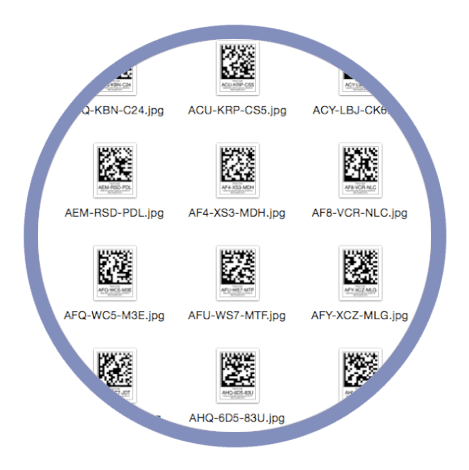


Every photography studio has its own workflow. While many photographers use Snapizzi's standard Camera Cards, others build custom order forms, labels, badges, or studio documents that require only the Data Matrix identification codes.
To provide greater flexibility, Snapizzi introduced two workflow improvements that give photographers more control over how project data is exported and used.
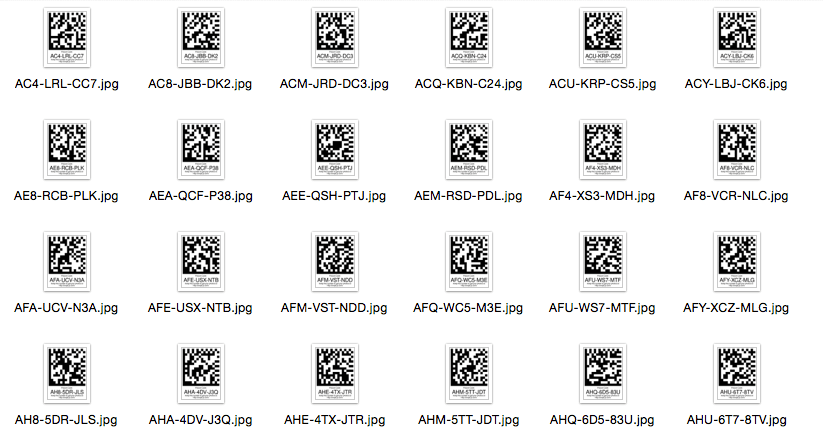
Photographers can now download standalone Data Matrix code JPEGs without exporting the complete Camera Card layout.
Photographers can now download individual JPEG images of the generated Data Matrix codes without exporting the complete Camera Card layout.
These standalone code images can be incorporated into custom order forms, ID badges, envelopes, labels, or other studio materials while still taking advantage of Snapizzi's automated subject matching workflow.
Snapizzi also expanded the Subject List with additional export options for organizing image filenames.
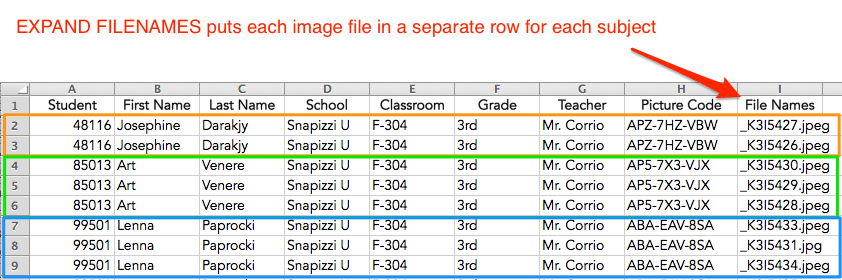
Studios can choose to include all filenames in a single cell or expand each filename into its own row, making the export easier to sort, filter, import into other systems, or use in custom workflows.

Additional options also make it easier to include group information and tailor the export to the needs of each studio.
Together, these enhancements provide photographers with greater flexibility to integrate Snapizzi into existing business processes instead of forcing every studio into the same workflow.
Note: This article introduced two workflow enhancements that continue to give photographers greater flexibility. Studios can download standalone Data Matrix code JPEGs for custom materials and choose how Subject Lists organize exported image filenames to better match their existing workflows.
Related Articles
Explore more features, announcements, and workflow improvements.
Related Help Articles
Step-by-step guides and documentation from the Snapizzi Knowledge Base.
Explore These Topics
Find more articles on the topics covered in this post.
Continue Exploring Snapizzi
Content Directory — Browse all articles and workflow resources
Release History — Explore new features and product updates
Knowledge Base — Find tutorials and documentation
User Love — See what photographers say about Snapizzi