


High-volume photography workflows depend on accurate detection of every photographed keyframe image. When a code occupies only a very small portion of an image, standard scanning may not always detect it successfully.
To improve reliability in these situations, Snapizzi introduced High Resolution Scanning.
When enabled during upload, Snapizzi analyzes keyframe photographs at a much higher resolution, making it easier to detect small Data Matrix codes that might otherwise be missed.

Because this process requires substantially more processing power, High Resolution Scanning is designed specifically for keyframe photos and should be used only when needed.
High Resolution Scanning is designed to improve detection of very small Data Matrix codes, not to compensate for poor image quality caused by blur, glare, low contrast, folded camera cards, or other physical capture issues.
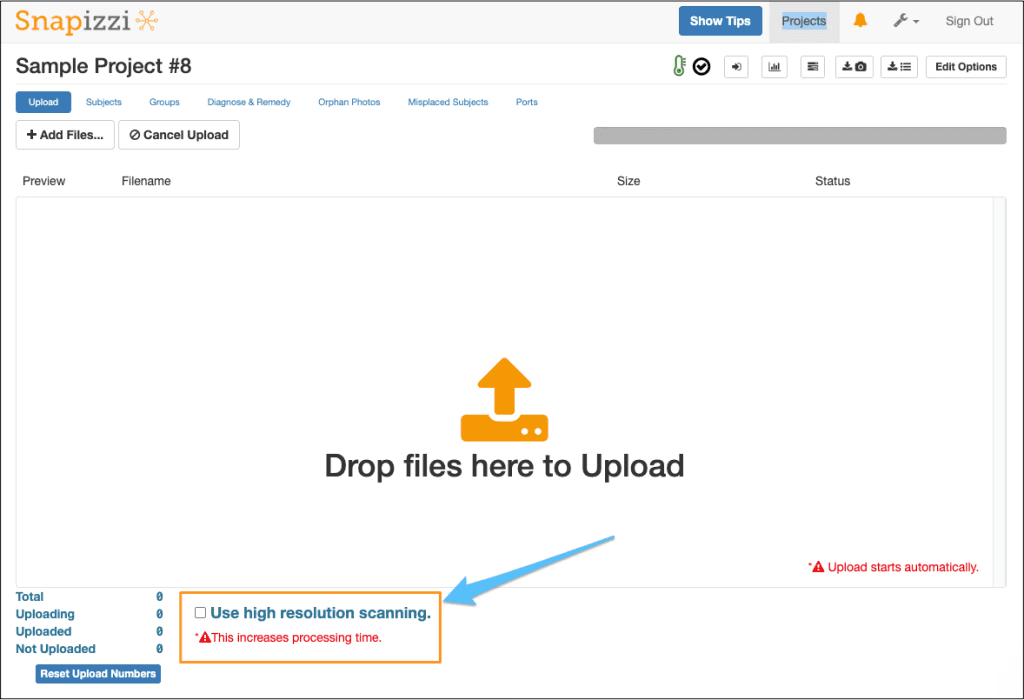
For photographers working with unusually small camera cards or challenging capture conditions, High Resolution Scanning provides another tool for improving workflow accuracy while maintaining automated subject matching.
Note: This article announced High Resolution Scanning for keyframe uploads. The feature remains available for projects containing very small or difficult-to-read Data Matrix codes and can significantly improve code detection when standard scanning is insufficient. Because it analyzes images at a much higher resolution, it is recommended for keyframe uploads only.
Related Articles
Explore more features, announcements, and workflow improvements.
Related Help Articles
Step-by-step guides and documentation from the Snapizzi Knowledge Base.
Explore These Topics
Find more articles on the topics covered in this post.
Continue Exploring Snapizzi
Content Directory — Browse all articles and workflow resources
Release History — Explore new features and product updates
Knowledge Base — Find tutorials and documentation
User Love — See what photographers say about Snapizzi