


QR code photography has become one of the most efficient ways to identify students and organize images during school picture day.
Instead of relying on handwritten notes or manually matching photos after the event, photographers can use unique QR code camera cards to create an automated connection between a student and the portraits that follow.
The result is a workflow that reduces manual sorting, minimizes errors, and scales easily from small schools to large district-wide photography programs.
QR code photography is a high-volume photography workflow that uses a unique QR code to identify a student before their portrait session begins.
Each QR code corresponds to a specific student record and helps match photos to students automatically. By photographing the QR code immediately before the student's portraits, specialized workflow solutions—such as Snapizzi—can automatically associate the images that follow with the correct student record.
Regardless of the software being used, the goal is the same: create a reliable connection between the student and the portraits that follow.
QR code identification is one of several methods used throughout modern school photography workflows.
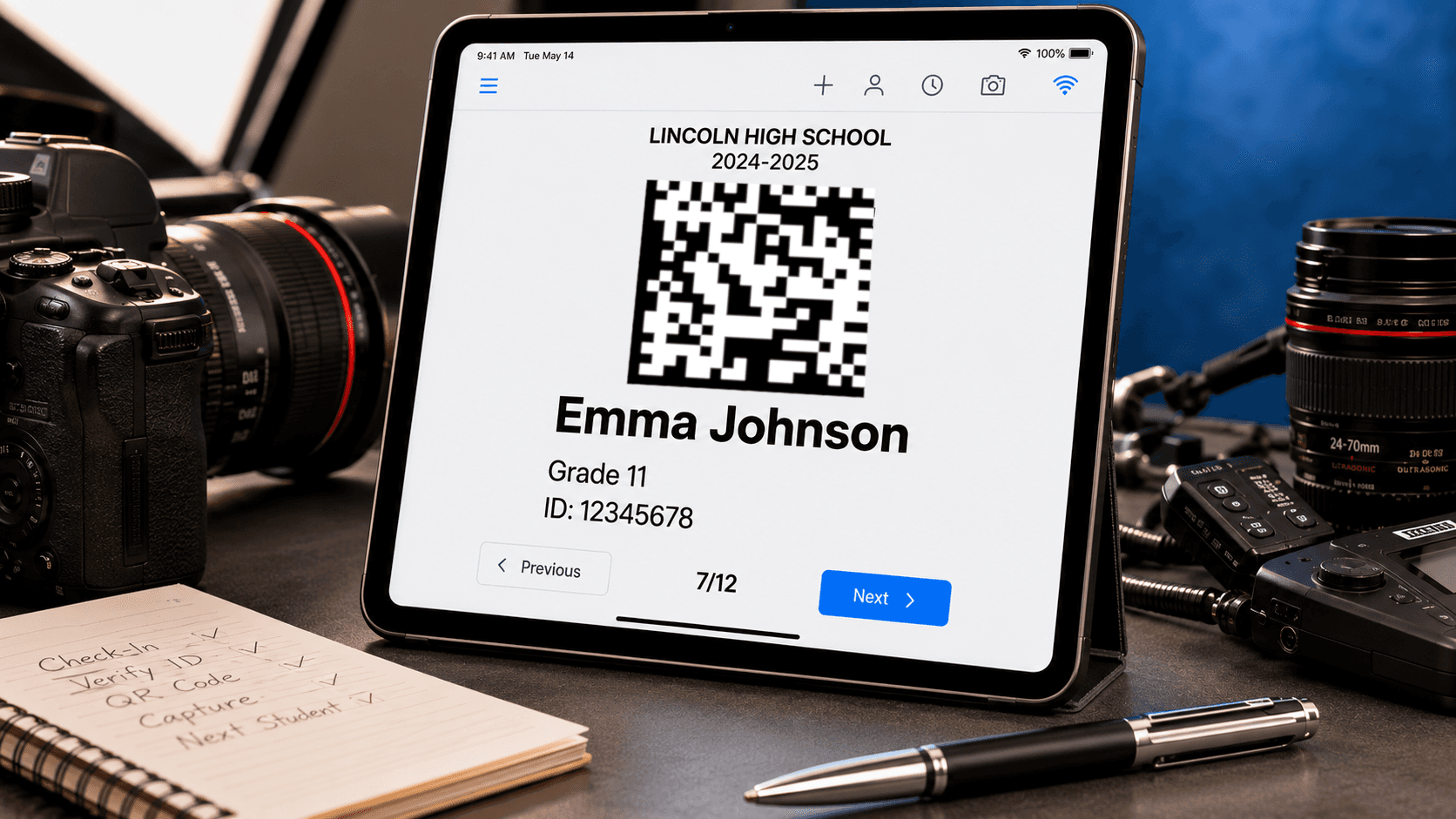
A QR code photographed before the portrait session becomes the digital link between a student and their images.
A typical QR code workflow follows these steps:
Import student information into the photography system.
Generate a unique QR code for each student.
Display or print the QR code as a camera card.
Photograph the QR code immediately before photographing the student.
Automatically associate the following portraits with that student's record.
This identification image is commonly known as a keyframe image because it serves as the reference point for the images that follow.
In workflows that include class or team photos, a separate QR code is also generated for each group. By photographing the group code before the group portrait, software can automatically identify and organize those images, reducing manual work and helping ensure they are delivered to the correct gallery.

Traditional high-volume photography workflows required photographers or assistants to manually record image numbers and later organize files by hand.
QR code workflows automate much of that process.
Benefits include:
Faster picture day operations
Reduced manual sorting
Fewer identification errors
Easier processing of large schools
Simplified gallery preparation
For high-volume photography businesses, these efficiencies can save many hours of post-production work.
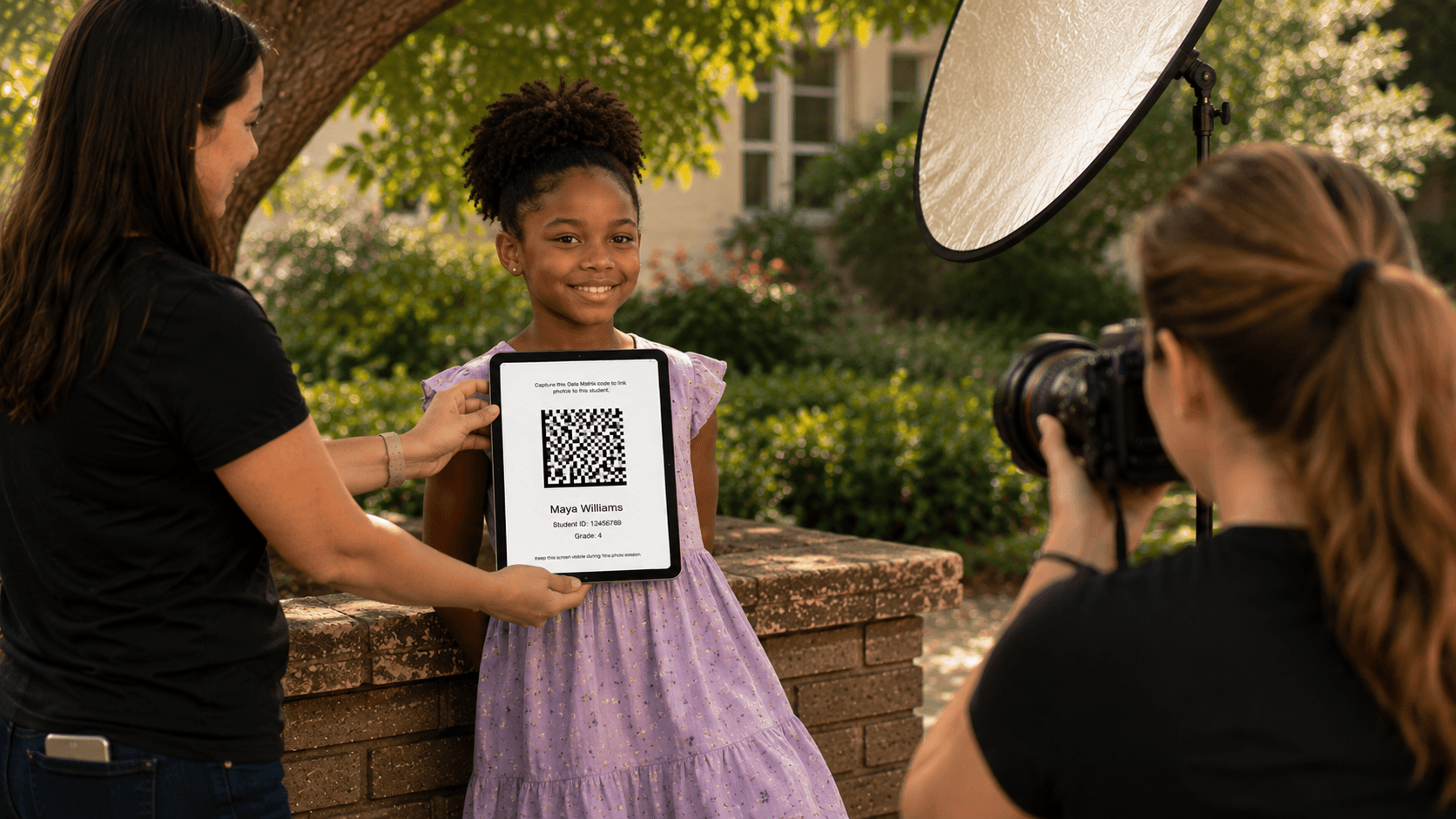
Whether displayed on paper or on a tablet, a QR code serves the same purpose: connecting every student to the correct photos.
QR codes can be presented in different ways.
Printed Camera Cards
Physical cards are photographed before each subject or group.
Advantages:
Familiar workflow
Easy distribution
No electronic device required
Paperless Camera Cards
Instead of printing cards, the QR code is displayed on a tablet or smartphone and photographed directly from the screen.
Advantages:
No printing costs
Instant updates
Fast student lookup
No lost or misplaced cards
Reduced paper handling
Both approaches achieve the same goal: accurately identifying the student before the portrait session begins.
Once the QR code image has been captured, software uses it to organize the images that follow.
The workflow typically includes:
Student identification
Image grouping
Automated organization
Automated group linking
Gallery preparation
This allows photographers to spend less time sorting files and more time delivering finished galleries.
A simple QR code captured in seconds can eliminate hours of manual sorting after picture day.
No. Other identification methods include:
Traditional barcode camera cards
Facial recognition systems
Hybrid identification systems
However, QR code workflows have become increasingly popular because they combine speed, reliability, and ease of use.
As school photography continues to evolve, QR code workflows have become a practical way to simplify picture day while improving accuracy.
Whether displayed on paper or electronically, a QR code helps establish the connection between a student and their portraits before the session begins, making downstream organization and delivery much easier.
QR code photography has transformed the way many school photographers organize and identify images.
By creating a clear link between each student and their portraits, QR code workflows reduce manual effort, improve accuracy, and streamline the entire process from picture day through gallery delivery.
For studios photographing hundreds or thousands of students, that efficiency can make a significant difference.
Related Articles
Explore more features, announcements, and workflow improvements.
Related Help Articles
Step-by-step guides and documentation from the Snapizzi Knowledge Base.
Continue Exploring Snapizzi
Content Directory — Browse all articles and workflow resources
Release History — Explore new features and product updates
Knowledge Base — Find tutorials and documentation
User Love — See what photographers say about Snapizzi