


Paperless school photography is a workflow that replaces printed camera cards, handwritten notes, and paper rosters with digital identification tools.
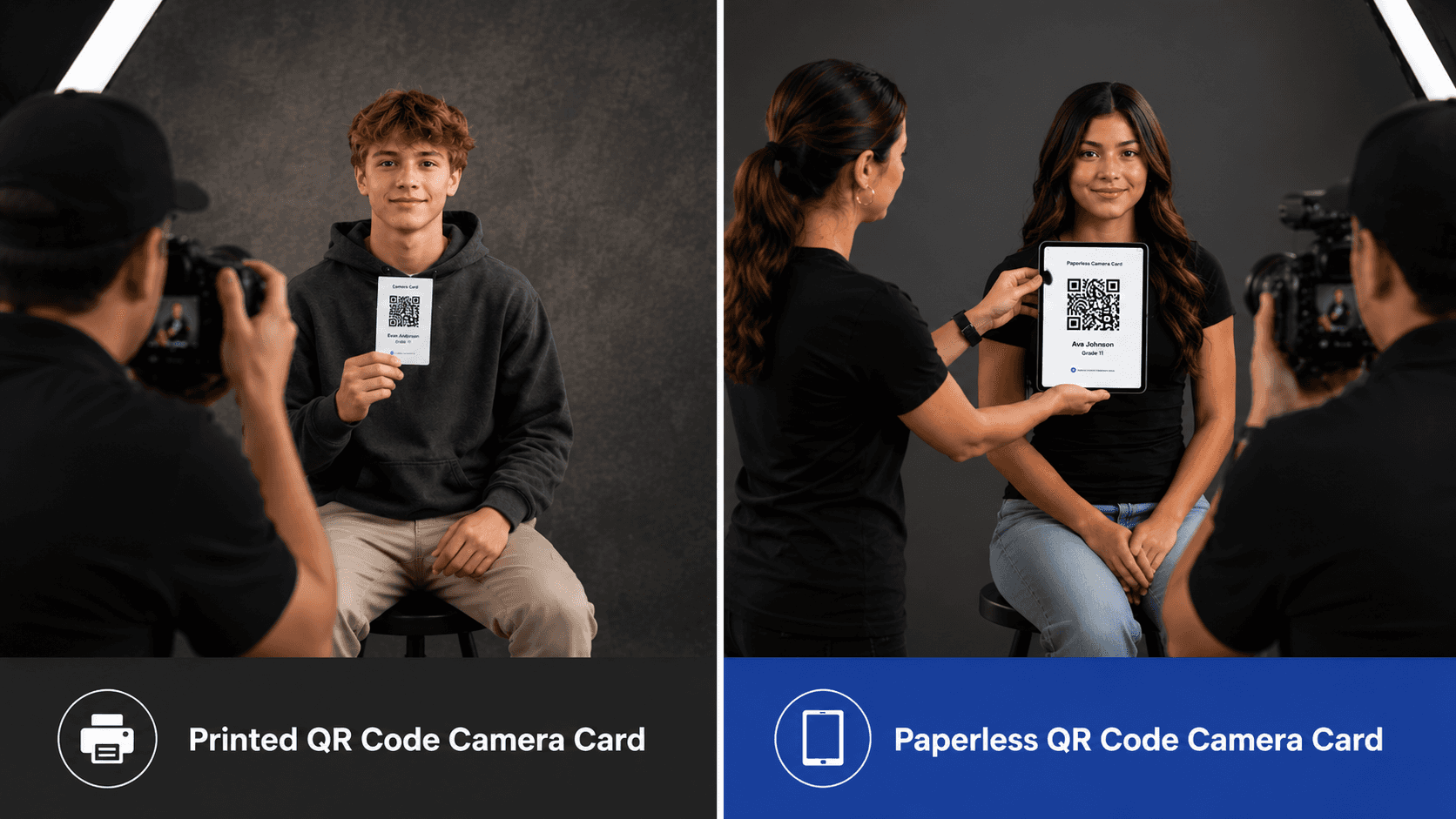
Instead of handing each student a printed card, photographers use electronic displays (typically tablets or smartphones) to present a unique QR code before taking the student's portrait. That identification image allows workflow software to automatically associate the portraits that follow with the correct student record.
The result is a faster, more organized picture day with less manual work before, during, and after the event.
Most paperless workflows follow a straightforward process:
Import a student roster into the workflow software.
Generate a unique QR code for each student.
Display the QR code on a tablet or smartphone.
Photograph the QR code to create a keyframe image.
Photograph the student.
Automatically organize the resulting portraits using the captured identification image.
The same process can also be used for class photos, sports teams, clubs, and other group portraits by displaying a separate QR code before the group image is taken.
Once captured, specialized workflow software can use that group identification image to automatically associate the resulting class or team photo with the appropriate students, further reducing manual organization after picture day.

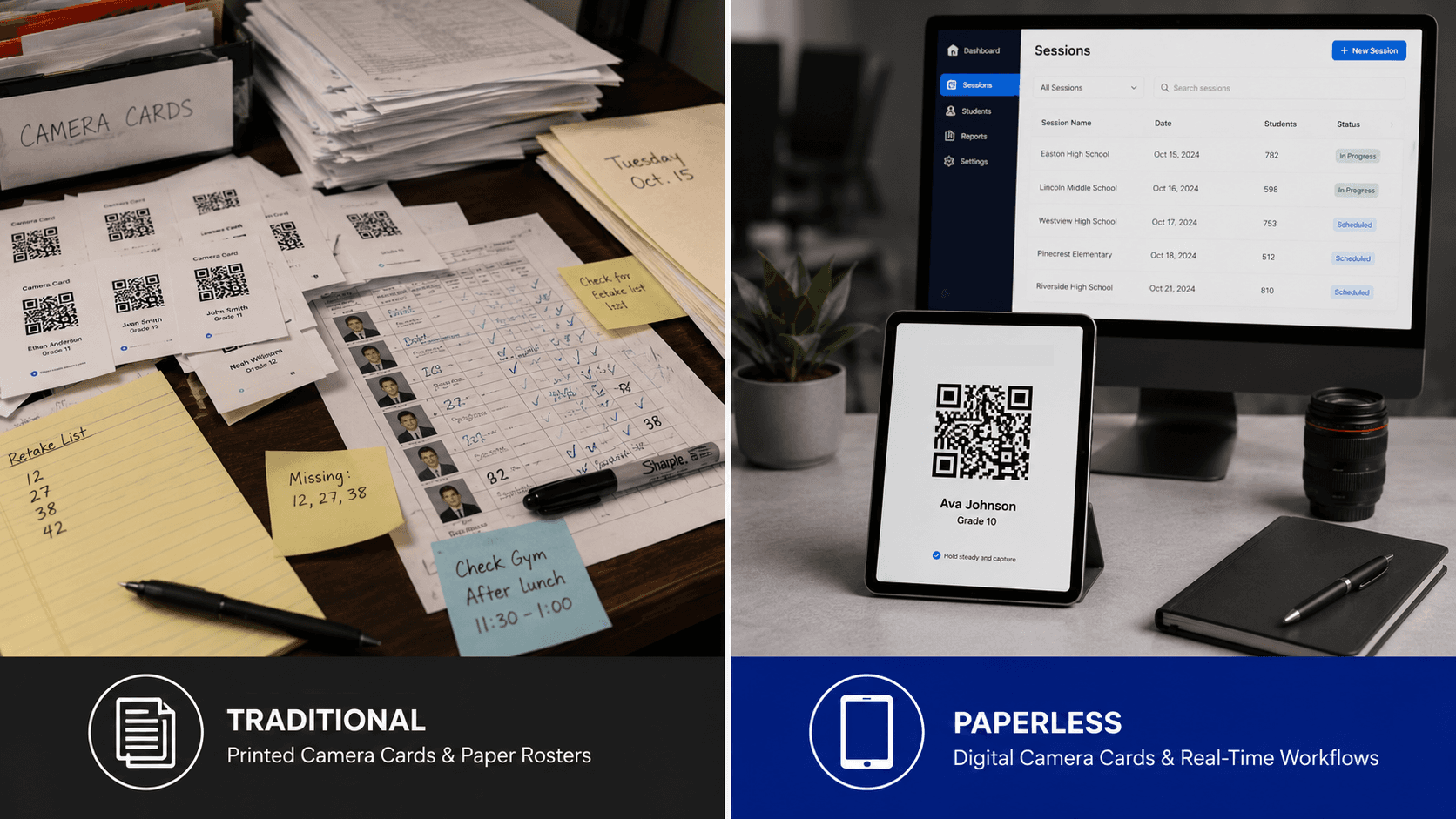
For decades, printed camera cards were the standard way to identify students during picture day.
While effective, paper-based workflows often involve:
Printing and distributing thousands of cards
Managing last-minute roster changes
Replacing lost or damaged paperwork
Organizing physical documents after picture day
Manually correcting identification errors
Paperless workflows eliminate many of these challenges while simplifying operations for photographers and assistants.
Digital camera cards eliminate paper while preserving the accuracy and reliability that high-volume photography depends on.
Modern paperless workflows offer several advantages:
No printed camera cards to distribute
Easier last-minute roster updates
Reduced paper handling
Faster student lookup
Streamlined identification
Improved organization
Better scalability for high-volume events
For studios photographing hundreds or thousands of students, these efficiencies can save substantial administrative time.
Some paperless photography solutions require photographers to adopt an entirely new gallery platform or sales system in order to use digital identification tools.
However, paperless workflows can also be implemented alongside existing gallery platforms through specialized workflow software. This allows studios to modernize picture day operations without switching gallery providers, rebuilding online storefronts, or disrupting the customer experience they already have in place.
This allows studios to modernize picture day operations without replacing the storefronts, delivery systems, or customer experiences they already know and trust.
For photographers who are happy with their current gallery platform, adding paperless automation can be an easier path than migrating to a completely new ecosystem.
Printed Camera Cards | Paperless Camera Cards |
|---|---|
Require physical printing | Displayed electronically |
Can be lost or damaged | Always available on a device |
Difficult to update once printed | Updates instantly |
Require paper handling | Reduce paperwork |
May require reprints for changes | Reflect roster changes immediately |
Well suited for traditional workflows | Well suited for automated workflows |
Both methods can accurately identify students, but paperless systems simplify logistics and reduce manual overhead.
Paperless workflows help photographers spend less time managing paperwork and more time behind the camera.
A paperless workflow still relies on the same fundamental concept as traditional camera cards: the keyframe image.
Before photographing the student, the photographer captures the QR code displayed on the tablet or smartphone. That image becomes the digital reference point used to identify and organize the portraits that follow.
Whether the code appears on paper or on a screen, the purpose remains the same: connect the student with the correct images.
The answer depends on your workflow, equipment, and preferences.
Printed camera cards remain a practical choice for certain studios, particularly those handling smaller events or established traditional workflows. Others have adopted paperless systems to reduce printing, simplify logistics, and streamline post-processing.
For studios handling large volumes of students, paperless workflows often provide meaningful gains in efficiency while reducing opportunities for manual error.
Paperless identification is one component of a modern workflow that also includes matching, organization, and gallery delivery.
Paperless school photography is helping studios replace paper-heavy processes with faster, more flexible digital workflows.
By displaying camera cards electronically and automating student identification, photographers can spend less time managing paperwork and more time focusing on creating great portraits.
As picture day technology continues to evolve, paperless workflows will play an important role in making school photography more efficient and scalable.
Related Articles
Explore more features, announcements, and workflow improvements.
Related Help Articles
Step-by-step guides and documentation from the Snapizzi Knowledge Base.
Continue Exploring Snapizzi
Content Directory — Browse all articles and workflow resources
Release History — Explore new features and product updates
Knowledge Base — Find tutorials and documentation
User Love — See what photographers say about Snapizzi