

Snapizzi is constantly evolving, but not every improvement needs to completely reinvent your workflow.
Sometimes the most useful changes are the ones that remove a few clicks, make information easier to find, prevent an avoidable mistake, or simply make the software easier to use every day.
Over the past several months, we’ve introduced a collection of improvements across Snapizzi designed to make high-volume photography workflows faster, clearer, and more reliable.
Here’s what’s new.
Keeping remote galleries synchronized shouldn’t require constant attention.
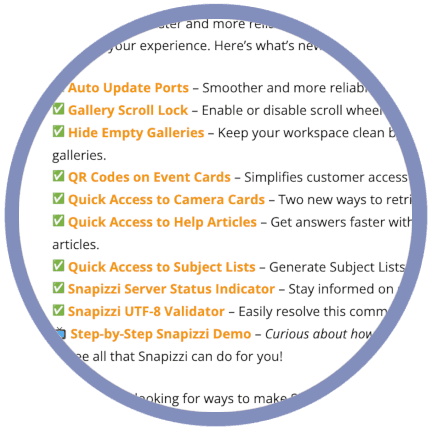
Auto Update Ports automatically keeps supported remote projects updated as changes are made in Snapizzi, helping reduce the manual work involved in maintaining galleries throughout a project.
Photographers who prefer greater control can still use Manual Updates when needed.
When working with large projects, even small navigation improvements can make a difference.
Gallery Scroll Lock lets you enable or disable scroll-wheel navigation while moving through subject and group galleries.
With Scroll Lock enabled, your mouse wheel or trackpad can be used to quickly move from one gallery to the next, making it easier to review large numbers of galleries without repeatedly clicking navigation controls.
Large projects sometimes contain subjects or groups without photographs.
Rather than letting those empty galleries clutter Photo Management, Hide Empty Galleries allows you to temporarily remove them from view.
The galleries aren’t deleted. They’re simply hidden so you can concentrate on the galleries containing images and bring the empty ones back whenever you need them.
Snapizzi Event Projects are designed for workflows where you don’t necessarily have subject information before Picture Day.
Event Camera Cards now include a customer-facing QR code that will take the subject directly to their photos.
The larger Data Matrix code remains part of the Snapizzi identification workflow, while the smaller QR code provides a convenient way for customers to access their photographs afterward.
Camera Cards are central to the Snapizzi workflow, so getting to them should be easy.
We added two additional ways to quickly access Project Camera Cards, including access to Paperless Camera Cards without first opening the project.
It’s a small change that removes unnecessary navigation when you simply need to get to your cards and keep working.
Sometimes the fastest way to learn a tool is to get help exactly where you’re using it.
Snapizzi now provides context-sensitive links to Knowledge Base articles directly from supported tools and panels.
Instead of leaving your workflow and searching the Knowledge Base, you can jump directly to instructions related to the feature you’re currently using.
Subject Lists are useful throughout the production workflow, so we made them easier to reach.
You can now generate and access Subject Lists directly from Photo Management views, eliminating unnecessary navigation back through the project.
Whether you’re working with schools, sports organizations, dance studios, or other high-volume projects, the information you need is closer to where you’re actually working.
When something isn’t behaving as expected, one of the first questions is whether the problem is local or related to a service you depend on.
The Snapizzi Server Status Indicator provides system-status information directly from the Dashboard, giving you a quick way to see whether Snapizzi or one of its connected services is experiencing an issue.
It’s another way we’re working to make troubleshooting faster and more transparent.
CSV files are extremely useful for automating high-volume photography workflows, but encoding problems can occasionally create frustrating import errors.
The Snapizzi UTF-8 Validator helps identify and resolve one of the most common CSV formatting problems before it interrupts your workflow.
Rather than trying to determine why a roster won’t import correctly, you can validate the file and correct the encoding problem quickly.
None of these features exists in isolation.
Auto Update Ports reduces repetitive maintenance. Quick-access tools eliminate unnecessary navigation. Gallery controls make large projects easier to manage. The UTF-8 Validator helps prevent workflow problems. Context-sensitive help makes answers easier to find.
Together, those improvements support the same goal Snapizzi has always had:
Spend less time managing photographs and more time running your photography business.
And we’re not finished.
Snapizzi continues to evolve based on the real-world needs of photographers working with schools, sports organizations, dance studios, events, and other high-volume photography projects.
Note: This article has been updated to reflect the features and workflow improvements introduced during this period. To see the complete evolution of Snapizzi, visit Snapizzi Release History for a chronological look at features, improvements, and workflow updates.
Related Articles
Explore more features, announcements, and workflow improvements.
Related Help Articles
Step-by-step guides and documentation from the Snapizzi Knowledge Base.
Explore These Topics
Find more articles on the topics covered in this post.
Continue Exploring Snapizzi
Content Directory — Browse all articles and workflow resources
Release History — Explore new features and product updates
Knowledge Base — Find tutorials and documentation
User Love — See what photographers say about Snapizzi